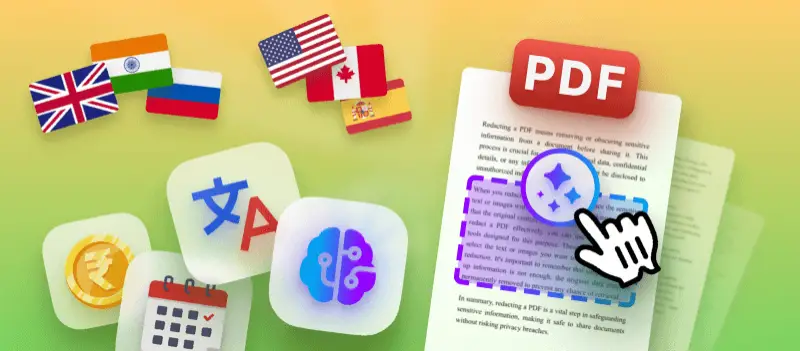

Cross-cultural adaptation really matters these days, especially when you’re sending documents to people in different countries.
I deal with international content all the time, and honestly, it’s wild how something as simple as a date or a currency symbol can trip up if you don’t get it right for their region.
In this article, I want to dig into how AI makes it way easier to adapt files of PDF format so papers have sense for everyone, no matter where they’re from.
Cross-cultural adaptation
I’ve tried a ton of tools over the years. Sure, they’ll swap out the words, but something always feels off.
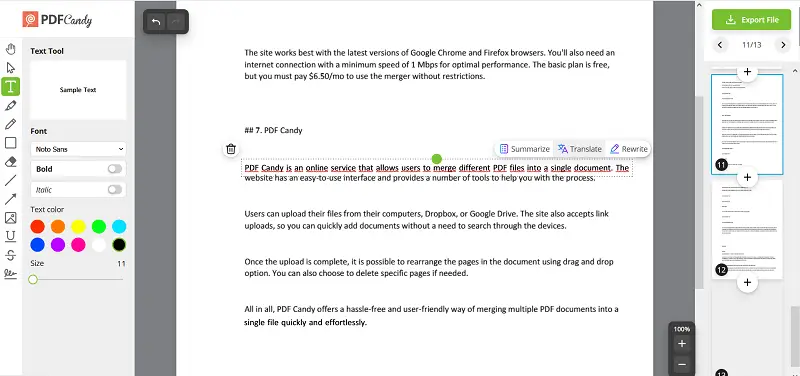
That’s why I’m into AI PDF translate utensils like PDF Candy. With it my docs don’t feel as awkward copies. Such drafts read as something written for the audience from the start.
Why localising examples, money and dates matters
The first time I looked over a marketing deck aimed at a European crowd, something jumped out at me right away - "June 31st" and prices in US dollars.
You could almost feel the confusion in the room. June doesn’t have 31 days, and why would anyone in Europe care about dollar prices? That moment really stuck with me.
Good regionalization isn’t about swapping out words. It’s about getting the details right. That’s what makes content feel real, not just AI translated.
Identifying the adaptation scope in translation
Whenever I get a PDF that needs to work around the world, I run through a mental checklist:
- Scan for locale‑specific examples. Things like geography, names, currency symbols, or dates stick out right away.
- Check numeric formats. Figures can get tricky. Some countries use commas for decimals ("1 234,56 €"), while others use periods ("1,234.56 $").
- Examine calendars. Not everyone writes the timestamp the same way. Some put the day first, others place the month. Even what counts as the start of the week shifts: Monday or Sunday.
- Look at cultural touchstones. Does the text mention Thanksgiving, Black Friday, native holidays, or certain sports? These little things can either help citizens connect or leave them scratching their heads.
Once you see what needs changing, you can map out your customization plan. Consider what to swap out, what stays as is, and what you can hand off.
How to handle currencies smartly
Crowd always seems to underestimate how messy money conversion can get.
I still remember the time a company fired off a pricing sheet in US dollars to their European offices. Total confusion. Folks over there stared at the numbers, having no clue how those fees stacked up against their own budgets.
It’s hard to judge value when the metrics don’t match the capital you use every day.
Here’s how I keep things clear:
- Utilize nearby currency where possible. If your audience is in Europe, show prices in euros. If they’re in Japan, apply yen. You can still include the original denomination in parentheses if you need to.
- Mind transparency. People notice when you round numbers ("$100 became €91.34"), and sometimes they don’t trust it. It helps to add a note like "≈ €90" (as of 01 Jul 2025) so spectators know where the digit comes from.
- Assets format. Sometimes the symbol tags along after the number ("1 000 €" instead of "€1,000"). Other times, you’ll see spaces or commas in places you don’t expect ("1.000,00 €" versus "1,000.00 $"). These little details matter.
- Be consistent. Don’t bounce back and forth between USD and district monetary unit in the same table unless you have a good reason.
- Think about local purchasing power. If you say "The subscription costs US $50 a month" to someone in the UK, that’s not very helpful. Tell them it’s "roughly £40" or show both amounts side by side.
When I’m adapting and organizing a PDF with AI, I usually do a "sweep". I find every "$" sign, grab the numbers, then run a conversion based on the target currency and format.
After the AI does its thing, I regularly double-check by hand. Artificial intelligence saves a ton of time, but you still need a human eye for accuracy.
Date and number cultural adaptation in translation
I’ve lost count of how many times I’ve seen "08/05/2025" spark confusion - are we talking August 5th or May 8th? Germans see "08.05.2025" and instantly know it’s May 8th, but an American will probably see that as August 5th.
Here’s what I actually do:
- Match the regional style. For Germany, I’ll write "08.05.2025". In the UK, it’s "8 May 2025". For the US, I switch to "May 8, 2025".
- Spell out months if there’s a chance for mix-ups. If numbers are going to trip people up, I note "4 July 2025" instead of "07/4/2025".
- Watch the context around dates. Fiscal years don’t line up everywhere. In Britain, it kicks off in April. So if my example reads "FY ends 31 March 2025", I’ll either tweak it or drop in a note for US readers, since their accounting period often starts in October.
- Use the right separators. Europeans see "1 234,56" and note it as one thousand two hundred thirty-four and fifty-six cents. In the US, it’s "1,234.56". Whenever I’m dealing with tables, I recheck and swap out the signs to fit the audience.
- Formats matter too. In some places, it’s the 24-hour clock - "15:30". In others, it’s "3:30 PM". If time comes up, I verify the style matches what people expect, or at least flag the difference.
Making these tweaks means readers don’t get hung up on layout. The smoother it sounds, the more they trust what you’re saying. That’s the goal.
Adaptation examples in translation
Honestly, this is the part of tailoring where you get to be creative. I stop and ask myself, "Does this scenario bring anything to someone here?" If it doesn’t, I fix it.
Here’s what I’ve learned along the way:
- Swap out specific events. If your original talks about "Super Bowl Sunday" but in Spain, go with "La Liga finale" or "Fiesta after the match" instead.
- Change place names and measurements. If it says "driving 300 miles", but your audience thinks in kilometres, write "483 km".
- Mirror business customs. For Middle East, I once changed "typical lunch meeting at 12:30 PM" to "majlis gathering at 1:00 PM".
- Images in PDF are huge. If your PDF is full of North American suburb photos but you’re talking to those in Southeast Asia, rethink those visuals. Make a version that fits better.
- Watch the tone and idioms. Humor, slang, and idioms don’t always translate. AI translate PDF app might get the words across, but not the feel. Confirm the vibe matches the region.
Sometimes I’ll fire up an AI assistant for quick ideas, like, "Give me a German case study where company X expands into Bavaria". But I consistently go back and fine-tune for the right cultural fit.
Final thoughts
Looking back at all the PDFs I’ve localised, there’s a pattern: the ones that feel truly domestic do better.
The real impact comes from cross-cultural adaptation: currencies, dates, examples, footage, all of it. Put in the work there, and you’ll cut down on confusion, keep people interested, and get better results. With AI translate document utility and global demand both speeding things up, now’s the time to sharpen your skills.
I hope this helped you get both the right mindset and some practical steps for your next PDF project.