.webp?6ac135b78 "Finals Prep: Merge All Study Materials into a PDF")

Finals week always sneaks up on me, and every time, I’m on the hunt for ways to make studying less chaotic.
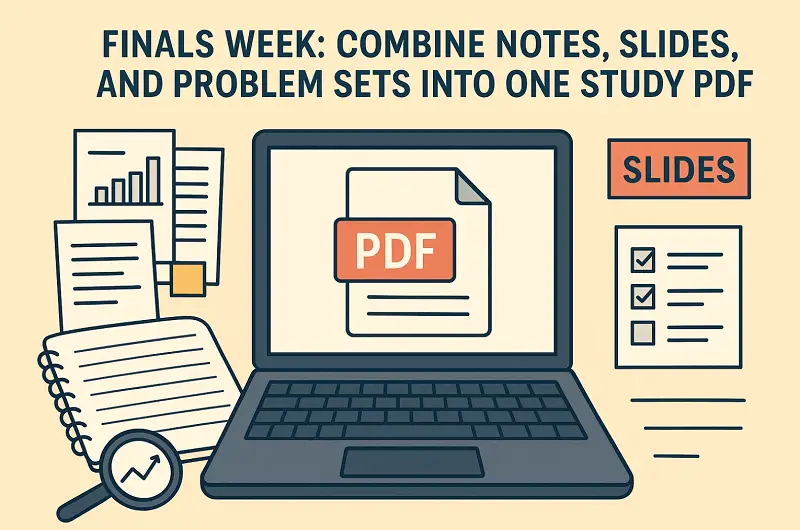
One trick that’s saved me more than once? I combine all PDFs - notes, lecture slides, problem sets - into one tidy document. No more scrambling to find that one page or flipping through dozens of tabs.
Here, I’ll walk you through how I pull all my study materials together and organize them so I can review the important stuff fast and stay on top of things, without drowning in paperwork.
Why to combine notes?
Honestly, bouncing between a bunch of different drafts slows me down. Having everything in one navigable PDF makes life easier. Here’s why:
1. Improved retrieval
If I want to look up "Laplace transform" or "mitochondrial fission", I hit CTRL+F and I’m there. No digging through folders, no guessing which file has what. It’s a straight shot from question to answer, which keeps me in the flow.
2. Boosts active study behavior
The research is clear: you remember more when you practice pulling info from memory and space out your review over time, instead of cramming or rereading.
- Spaced remembering execution has a big edge over just rereading everything at once (meta-analysis: g ≈ 0.74; Latimier, Peyre & Ramus, 2020).
- Testing yourself beats simply restudying (Adesope et al., 2017).
- Spacing out your sessions—learn, take a break, come back later—locks things in better (Vlach & Sandhofer, 2012).
3. Saves time and lowers stress
Most students juggle classes, work, and whatever else life throws at them.
Surveys show people are already spending 15–20 hours a week keeping up. When time’s tight, one combined PDF means you’re not wasting minutes hunting for notes. Every bit of focus counts.
My 9-Step Workflow
Here’s exactly how I build the file - and I share details that go beyond "merge all PDFs".
Step 1: Collect and name all resources
First, I set up a folder called "Final Study" for each course. Into that folder, I drop:
- Lecture slides (PowerPoint or PDF).
- Handouts and readings.
- Problem sets and worked solutions.
- My own condensed notes.
I’m picky about file names. Here’s my go-to format:
COURSECODE_Week-Topic_Type_V1.pdf (e.g., BIO202_Week05_Mitochondria_Handout.pdf).
If I’ve got any physical handouts, I scan them using a mobile app. I always check if they’re readable - nothing’s worse than finding out later that half your notes are a blur.
Step 2: Convert, OCR and ensure searchability
Being able to search for "eigenvector centrality" and jump right there saves a ton of time.
- Convert image-only papers (scanned pages) into searchable PDFs with optical character recognition.
- One tool I use is PDF Candy. This file combiner offers OCR, conversion and merging utilities.
- For sensitive data, I either run OCR locally or employ a service with a clear privacy policy.
Step 3: Join study PDFs logically
Once I can search everything, I pull all the pieces into one big master PDF. Here’s my usual order:
- One-page summary (see Step 7).
- Lecture slides and notes.
- Core readings and handouts.
- Worked examples and derivations.
- Problem bank (see Step 6).
- My solutions appendix.
I don’t dump all the theory together and then all the issues. I mix them, so right after you read a concept, you get problems that use it.
Step 4: Add Table of Contents
Bookmarks and a TOC turn the study PDF into something you can navigate.
- I insert bookmarks for every section and subsection.
- I make a page up front with page numeration. For example:
Week 3: Fourier Series – p. 42.
This structure saves me endless scrolling and helps follow to any section quickly.
Step 5: Annotate with highlights and margin prompts
Now it’s it’s my study script.
- I mark only the essentials: key definitions, major formulas, and those big conceptual moments.
- I drop in:
- “Define Poisson process - tackle without looking.”
- “Work through problem 7 (p. 68).”
- “Explain concept X in your own words.”
- These force me to recall, not just reread - which builds memory (Corral, 2025).
- Color codes help: red for must-know, yellow for needs review, green for mastered.
Step 6: Extract and interleave problem sets
Practicing problems is where the real learning happens.
- I gather all problem sets and past exam questions.
- I mix them by type or difficulty, not by topic.
- I tag each one:
#P7 – Week 4 – Chain Rule – Medium. - I leave space for my own attempts and solutions.
- I follow a simple loop: try it, check the answer, attempt again if I need to. That really locks it in.
Step 7: Create a one-page condensed summary
It sits at the front and provides a high-level map.
- Identify core formulas, laws, and relationships.
- Use a two-column layout with minimal text and visual hierarchy.
- Export as PDF and insert as pages 1–2 in the master document.
Writing this PDF summary is half the point - it forces me to organize what I know.
Step 8: Compress size
Merged files can get huge; optimization keeps them usable.
- Compress large images or convert to grayscale.
- Utilize tools like Compress PDF.
- Keep the doc under ~50 MB for easy mobile/tablet access.
Step 9: Save alternate formats
Different formats give you diverse ways to learn.
- Print-friendly: single column, wide margins for taking notes.
- Flashcard: I drop definitions and formulas into CSV for spaced-repetition apps.
- Mobile version: bump up the font or export to EPUB.
How I Use the Study PDF
Retrieval first, not rereading
I always start by testing myself. I’ll cover up my condensed notes and try to pull out the main ideas from memory before I peek. Recall practice sticks way better than reading things over and over.
Spaced sessions, not marathons
I break my time into chunks - usually 25 to 50 minutes - spread out across a few days. Honestly, cramming doesn’t cut it.
Drill problems early and often
I dive straight into the problem bank. I try questions cold, then circle back to the theory if I get stuck, and go again. That cycle mirrors what cognitive science calls deliberate conditioning.
Teach out loud
Explaining each idea out loud is my go-to move. If I can’t explain something clearly, it’s a sign I need to review it. Teaching forces me to really understand the material.
Use marginal prompts for micro-quizzes
I’ll flip through the PDF and hit myself with quick tasks like "define reversible reaction". It keeps me honest - no lazy highlighting, just active recall.
Conclusion
Finals used to be pure chaos for me. Now it’s all about the system: I build my study PDF early, set it up for easy retrieval, and plan out my sessions with space between them.
Whether you use PDF Candy or another tool, the principle remains: consolidate intelligently, learn actively, and trust that good structure amplifies good education.