.webp?6ac135b78 "2026: The AI Revolution in Digital Document Workflows")

The way we handle document at work is changing fast. Drafting, reviewing, sending, storing is getting an upgrade. New tech is driving a lot of this, but so are stricter rules.
In this article, I dig into the big trends that’ll define 2026. AI is taking over the tedious stuff, compliance isn’t just a box to check anymore, and, honestly, those endless email attachments? We’re finally leaving that chaos behind.
My goal here is simple: to share what’s coming next, so you can act smarter in a world where speed, security, and staying organized are all tangled up together.
AI Acceleration
From Passive Storage to Intelligent Systems
Document platforms aren’t just digital filing cabinets anymore. Now they read your papers, understand what’s inside, and even take action on their own.
Let’s say a contract lands in your inbox. You don’t have to open it, figure out what it is, and forward it yourself. The setup already knows - it spots the agreement, pulls out the important dates, and sends it straight to your legal team for review.
Efficiency and Accuracy
AI isn’t about easing things - it’s about real, measurable progress.
- Error reduction: IDP slashes manual mistakes by over 50%.
- Time savings: People using AI-powered tools shave off 3 hours a week from tedious PDF workflow.
Honestly, I’ve seen this play out firsthand. Drafts stop being roadblocks, they turn into active partners in decision-making. Catching a missed clause in an undertaking or spotting an overdue invoice isn’t a chore anymore; the system points it out.
Market Scale
The AI document management market is set to hit US$ 513.3 billion by 2030. That says a lot about how much things are changing.
- You can inspect in plain language: "Show me all deeds expiring next quarter with auto-renew clauses."
- Auto-tagging, summaries, and real-time routing? That’s the new normal.
My schedule has transformed completely. I work with papers that know what they are and what needs to happen next.
Practitioner Impacts
If you deal with materials all day, you’ll feel the difference:
- I waste less time searching and spend more time actually analyzing what’s important.
- Documents now organize themselves, trigger approvals, and move along automatically.
- Fewer headaches from lost files or old versions - those mistakes barely happen anymore.
Still, you can’t let AI run wild. Good governance matters, because if you feed it bad info, you’ll still get bad results.
Compliance & Risk
Elevated Regulatory Expectations
These days, one mishandled agreement can land you in legal hot water. If you’re in finance, healthcare, or law, you know the drill: every file needs to be tracked, retained, and ready for an audit.
Picture this: someone emails a contract without archiving or tracking it. Later, when you need proof, it’s gone -and so is your liability defense.
Embedded Record-Keeping
Modern document workflows integrate retention rules directly into the organization:
- Files archive and delete themselves automatically.
- Every access and edit is logged.
- The system pushes alerts when legal holds or deadlines are looming.
That’s the difference between a draft forgotten in a folder and a living item that’s always in line with the policies.
Access Controls
Now, with link-based sharing, I decide exactly who sees what, when, and how.
- Granular permissions uphold sensitive info locked down.
- No more "which variant is this?" headaches.
- Every action is tracked, so you always know who did what.
Data Governance for AI
AI adds new layers of responsibility:
- Double-check scanned work documents for OCR mistakes.
- Keep an eye on AI-generated tags and summaries.
- Check everything the artificial intelligence does next.
If you skip these, AI multiplies your errors instead of fixing them.
3. The End of “Attachment Chaos”
Definition
It arises when:
- Email chains with half a dozen versions of the same file.
- Copies everywhere, no one sure which is right.
- People wasting time hunting for "FINAL_final_v3".
I’ve watched crew burn hours sorting out which end document is the last, hours better spent on real activity.
Why Traditional Attachments are Failing
- Security risk: 23% of HTML enclosures carry threats.
- Productivity drain: The average employee cranks out about 6,000 pointless appended elements a year.
- Smarter options: AI tools, semantic search, and shared drives do the job better.
Replacing PDF Workflows
In my daily routine:
- Upload the contract to a drive.
- Send a link for team review, with tracked adjustments.
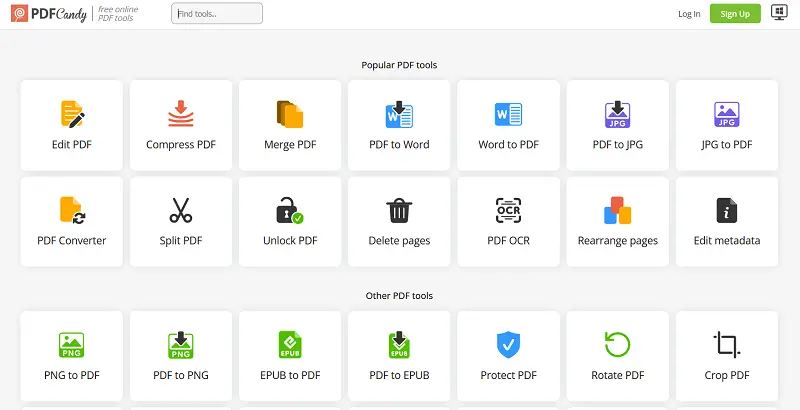
- Use AI PDF editor to finalize, embed metadata, and flatten fields.
- Let the system archive it automatically, following compliance procedures.
Benefits in Practice
- No more "which iteration?" confusion
- Clean audit trails
- Less duplication
- Better safety
4. Preparing Document Workflow
Step 1: Audit
- Figure out what kinds of papers you’re dealing with, where they live, and how people distribute them.
- Track down wasted hours and all the usual headaches with format conflicts.
Step 2: Release Control
- Set clear naming rules everyone can follow.
- Move to link-based sending; no more “FINAL_v2.docx” chaos.
Step 3: Embed Smart Search
- Bring in tools like semantic survey, auto-tagging, and AI summaries.
- When you need to share outside your team, just modify docs to PDF.
Step 4: Build Compliance
- Set up automation for draft retention, disposal, and access controls.
Step 5: Centralize Repositories
- Pull everything together - emails, local files, folders.
- Clean up metadata and weed out duplicate papers.
Step 6: Phase Out
- Get everyone comfortable with sharing links.
- Use AI-powered PDF services for secure, controlled material delivery.
5. Risks & Challenges
- AI oversight: You still need real people to review things.
- Cultural resistance: Some folks don’t want to give up attachments.
- Security & privacy: Centralizing files can make you a bigger target.
- Legacy documents: Moving old stuff over takes time and effort.
- Multi-jurisdiction compliance: Rules aren’t the same everywhere.
Final Reflections
By 2026, document work won’t be about sending files and crossing your fingers. It’ll be about sharing with confidence.
So, audit your flow, upgrade your tools, bake in strong governance, teach your teams, and finally - let go of messy attachments. Teams that get this right will move faster, earn more trust, and know where their contracts are.
I’m already on this path myself. Ready to join me?

.webp?w=420&h=184)