
I’ve always thought of PDFs as the quiet, reliable workhorses of the digital world. They’ve been around since the early days of the internet, surviving every major shift — from floppy disks to cloud storage. They never asked for much attention; you clicked, they opened, you read. Simple.
But recently, that stillness has started to change. Artificial intelligence is breathing life into a format once defined by its rigidity. Instead of being static files meant only for viewing, PDFs are turning into interactive spaces where content doesn’t just sit but engages back.
It feels like the beginning of a new relationship with our documents. No longer locked archives, they’re becoming living systems of knowledge that understand what’s inside them and can help us make sense of it too.
From static to dynamic knowledge
For decades, PDFs acted as digital paper: perfect for fixed layouts, but terrible at adaptation. You couldn’t easily extract key data from PDF or interact with the file beyond scrolling. That’s precisely what artificial intelligence is rewriting.
How AI in PDF is changing the way we use this format
- Understanding context. Modern AI models can interpret meaning, not just recognize text in PDF. They can tell the difference between a heading and a footnote, or between a key insight and background data.
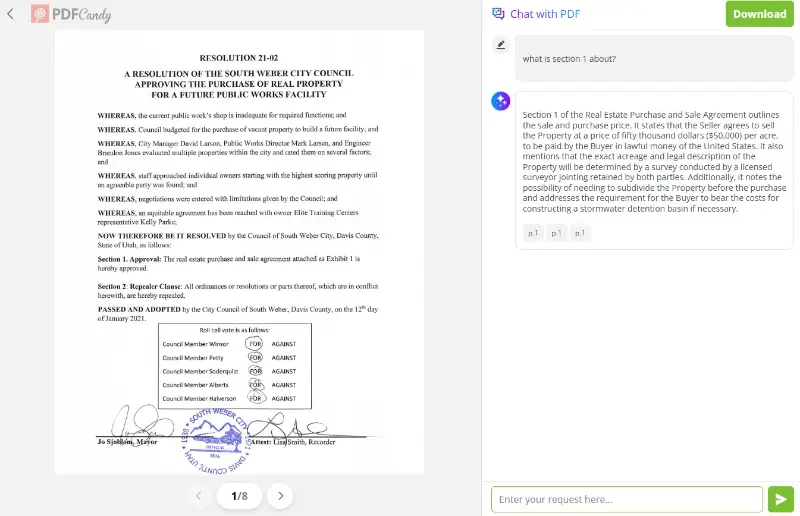
- Summarizing content. Long reports or research papers can now be condensed in seconds. You can get concise overviews without scrolling hundreds of pages.
- Conversing with documents. You can ask direct questions like “What’s the main argument of section 3?” or “Summarize the financial trends mentioned in Q4.” It turns reading into a two-way dialogue.
- Breaking language barriers. With a PDF translator, the format becomes multilingual — enabling instant translation while preserving design.
What used to take hours is now a conversation away. And it’s not about replacing human comprehension; it’s about extending it. AI amplifies how we read, so knowledge is more accessible and less overwhelming.
The rise of interactive PDF AI documents
If in the last decade PDFs became searchable, this one is making them explainable. The real magic happens when AI transforms content from a passive container into a responsive guide.
Imagine opening a technical manual, and instead of skimming through dense paragraphs, you simply ask, “What’s the recommended maintenance schedule?” or “Can you show me the safety section?” The PDF highlights exactly where to look — or better yet, summarizes the answer in plain language.
The new shape of a smarter PDF
- Conversational interface. Integrated AI chat turns a document into a dialogue. You don’t scroll endlessly — you inquire.
- Adaptive display. Content can rearrange itself based on your goals — summarizing for quick review or rewriting for clearer explanations.
The beauty of these tools lies in how natural they feel. Instead of mastering complex commands or endless search shortcuts, you just ask — and the file understands.
And this shift is more profound than it appears. For years, our relationship with information has been linear: open, read, close. Now, it’s layered and dynamic. PDFs are becoming less like paper and more like digital ecosystems.
What this means for work and creativity
I’ve noticed something subtle but powerful happening in how people interact with documents. Both casual users and professionals are not only consuming content anymore — they’re collaborating with it.
Below are a few ways AI-powered PDFs are reshaping everyday tasks.
| Who | Use Cases | Main Benefit |
|---|---|---|
| Students | Summarize PDF to condense study materials before exams, then chat to clarify complex theories. | Faster learning and better comprehension. |
| Writers & Journalists | Extract insights from lengthy reports or government data with AI summaries, freeing time for deeper analysis. | More focus on storytelling and narrative quality. |
| Designers & Marketers | Translate PDF to adapt creative materials for global audiences while keeping the layout intact. | Seamless localization without any loss. |
| Researchers | Crosscheck documents through AI queries to uncover hidden patterns or connections. | Accelerated discovery and collaboration. |
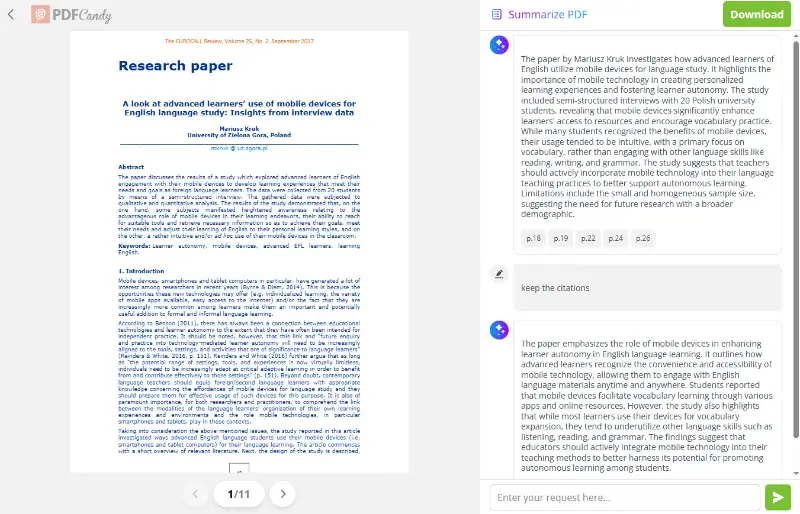
When AI handles the structure, people can focus on interpretation, creativity, and insight. It’s the difference between navigating a maze and flying over it.
In a sense, the PDF has gone from being an archive to a partner that helps us think and explore ideas.
Challenges and boundaries of AI in PDF
Every technological leap brings its shadows, and AI is no exception. The moment documents begin to “think,” we face questions about security and control.
- Data sensitivity. If a confidential paper is analyzed by artificial intelligence, how do we ensure the information stays private?
- Bias and misinterpretation. PDF AI can misunderstand tone, irony, or context, leading to flawed summaries or translations.
- Transparency. People need to know how the model reaches its conclusions. PDF chat isn’t just a feature — it’s a responsibility.
- Digital dependence. There’s a subtle risk in letting AI do everything for us. We must stay engaged thinkers, not passive receivers.
Still, none of these challenges are deal-breakers — they’re design questions. And the best tools are already addressing them by operating locally, protecting data in PDF, and letting users choose when and how automation intervenes.
It’s a delicate balance: embracing intelligence without losing autonomy.
Conclusion on future of PDFs with AI
There’s something thrilling about asking a document for help and getting an answer that actually makes sense. It’s like watching an old photograph come to life.
The PDF isn’t disappearing — it’s just evolving in 2026. AI is helping it cross the line from data storage to knowledge interaction. Soon, opening a file won’t feel like reading it. It’ll feel like entering a dialogue with an intelligent archive that understands your intent.
And this evolution matters. It reshapes how we learn, collaborate, and communicate. It ensures that information, no matter how complex or vast, can always be approached with curiosity instead of fatigue.

(1)(1).webp?w=420&h=184)