(1)(1).webp?6ac135b78 "PDF Chat Tools: Pros, Cons, and Security")

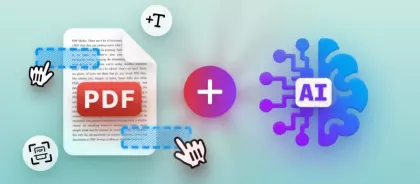
The first time I tried to chat with PDF, I couldn’t believe how easy it was to pull answers from massive, complicated documents.
Things that used to eat up hours suddenly took minutes. But the more I played around with it, the more I realized there’s a lot going on beneath the surface. Sure, there are some perks, but there are also sneaky risks.
So, let me share what I’ve figured out: the upsides, the downsides, and the privacy issues people don’t talk about enough when you employ AI to interact with your PDFs.
Why I decided to chat with PDF?
Here’s how my workflow went:
I’d open a huge PDF, skim the headings, hit Ctrl-F for some keywords, then end up rereading chunks of pages just to figure out what was going on. It was slow. But with a "chat to PDF" tool, everything changed. Suddenly, I got a sharp summary of a 60-sheet whitepaper and direct links to the exact paragraphs.
Right away, the biggest wins for me were speed and accessibility. Legal briefs, dense research, technical manuals became simple. I could ask PDF and get straight answers. But there’s more to it than convenience.
McKinsey & Company’s "The State of AI in Early 2024" report puts it in numbers: 65% of people said their organizations apply generative AI regularly, almost twice as many as ten months ago. And 72% said they utilize AI in at least one business area.
The upside gains I saw
- Precision. Instead of slogging through entire segments, I fired off a question and got exactly what I needed: summaries, bullet points, or direct quotes.
- Smoother onboarding. Whenever we brought in new folks who didn’t know the product or hadn’t seen our manuals, I’d load our SOPs and docs into a chat tool. Suddenly, we had a searchable knowledge base.
- Easier access. Those giant, messy drafts? So much less intimidating when you can talk to PDF directly, instead of scanning the whole book.
- Pulling insights. Some platforms let you upload a whole mess of files, then tie them together. I could compare a contract, a spec, and a whole email chain - side by side, right in one chat.
I saw these benefits play out again and again, in regulatory reviews, technical audits, training sessions. No wonder so many businesses are jumping on AI chat assistants right now.
The downsides, where the magic falters
But let’s be real, these utilities are far from perfect. I ran into the same problems over and over:
- Hallucination. The interface might look slick, but sometimes the model invents facts or pins quotes on the wrong page. In legal or compliance work, that’s a dealbreaker.
- Context loss. Short prompts or chopped-up extracts often miss the nuance. The summary might skip over caveats that matter.
- Bad with images and tables. Throw in a PDF with complex charts or graphics, and the chat to PDF app can mangle it: misaligned data or wrong values.
- Fragmentation. Every vendor handles uploads, indexing, and privacy differently. You drop your materials in one platform, then realize you can’t get them out or move them somewhere else. Good luck with portability.
So, I stopped treating output as gospel. Now, I employ it as a sidekick: it points me to good bits and gives me ideas. But for anything important, I always go back and double-check the original PDF.
By the way, PDF Candy just rolled out a "talk to PDF" feature. Now you can upload a document, ask it questions, and get response right from the file. They say they delete your uploads after two hours and stick to GDPR rules. And, I trust them on this.
Chat with PDF: privacy and security
Whenever I try a new tool for talking with docs, the biggest thing on my mind is what happens to my drafts after I hit upload. Let’s be honest, sending a confidential contract, HR export, or medical report to someone else’s cloud feels risky. So, I boil it down to three questions for every vendor:
- Where does the processing happen? Are they using a public cloud, their own servers, or can I run it locally on my own machines? If it works on-prem or at the edge, I get to keep control.
- What’s their policy? How long do they hold onto my files? Are there copies stashed away in logs, backups, or some cache? I like to see the shortest possible window - or, even better, no retention at all.
- Is my material used for training shared models? Some vendors promise they’ll never employ your uploads to train a general algorithm. Others aren’t so clear. I always check the fine print: am I accidentally handing over my intellectual property?
Here’s why I care: IBM’s article says the average global breach now costs $4.88 million, up 10% from last year. For industrial companies, it’s even higher: $5.56 million per breach.
Practical privacy controls I look for
After talking with security teams and seeing a few close calls myself, I’ve got a checklist of must-have controls for any chat assistant:
- End-to-end encryption, in transit and at rest. No strong protection? I don’t trust it.
- Clear guarantees. I want it in writing, ideally in a contract, that my papers won’t end up training public engines.
- Detailed audit logs. I expect role-based permissions, the power to yank access anytime, and logs showing exactly who opened what and when.
- Short retention. The best vendors say, "We delete something within X. No leftover caches." PDF Candy, for example, says files are wiped after two hours and they’re GDPR compliant. That kind of openness helps, but it’s only one piece of the puzzle.
- Hybrid deployment. If I’m working with really sensitive stuff, I want the option to hold everything local. That’s a big plus in my book.
When you combine these features with smart governance, my worries about leaks or misuse drop way down.
Choosing a chat with PDF tool - what I compare
When I’m sizing up document platforms, here’s what I really look at:
- Accuracy. Does the app back up its answers with exact page numbers, or tell me where in the article it found the info? Can I check those citations? If the system throws out random, ungrounded replies, I knock points off.
- Privacy promises. I want to see SOC 2 Type II, ISO 27001, GDPR compliance - the works. Will they actually delete things when I ask?
- Deployment flexibility. Can I run the model on my own servers, or at least in a private cloud? If items live in their shared cloud with who-knows-who as neighbors, that’s a danger I take seriously.
- Cost and scalability. For any bigger rollout, I break down pricing for storage, queries, hosting, and whether I’m getting dedicated infrastructure or just a slice of the public pool.
- User experience. Does it plug into my sources - SharePoint, Google Drive, whatever I utilize? Is search and indexing fast? Can my team apply it inside their current workflows?
Honestly, nobody nails everything. You end up trading off versatility for security, or saving on fees but giving up a bit of convenience. What is best depends on how much risk your organization is willing to take and how sensitive your drafts are.
Final thoughts
If you’re thinking about rolling out one of those "chat with your PDF" tools, start small. Try it out on harmless documents first. Make sure you’ve sorted your data, set clear rules on who can see what, and track what happens.
There’s real value here, but don’t forget the risks. Tech keeps moving fast, and I can’t help but get curious about each new tool I try. Still, I won’t stop pushing vendors to be transparent, let me pick how I deploy, and give me real control over my data.