

Have you ever found yourself in a situation when you needed to remove a password protection from encrypted PDF documents but didn't remember the combination you've set? That happens to many of us.
This article will describe 6 free PDF unlockers that you can apply for obtaining access to and using restricted PDFs. If you ever find yourself in need of such a tool, then knowing how to delete a key from a PDF might be beneficial for you.
Method 1. PDF Candy
This free web-based platform can help you when you have forgotten or lost the code to a PDF. Without the combination, it is unfeasible to open and read the file. However, with the right instrument, you will be able to open a protected PDF in just a few simple steps.
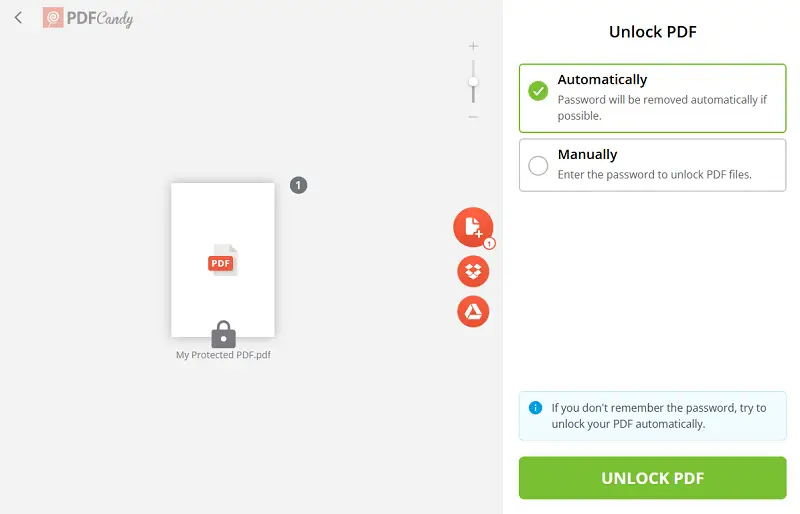
How to unlock encrypted PDF with PDF Candy
- Open the free PDF password remover in any browser on your computer or phone.
- Click "+ Add File(s)" and select the PINed PDF you want to decrypt from your device.
- Once the paper is uploaded, pick between "Automatically" and "Manually" modes. Hit "Unlock PDF".
- Tap "Download" to save your freed document to your device or send it to the cloud storage.
Pros:
- Accessibility. The PDF password remover is available for free.
- Compatibility. The service works equally well on Android phones, iPhone Max, ProMax, Plus, etc; Windows PCs, iMacs, and MacBooks.
- Convenience. The platform is supported by all major browsers - Google Chrome, Safari, Firefox, Edge, and others.
- Functionality. Additional instruments are available for further adjustments: edit your PDF, delete extra pages, and 90 additional tools for modifying.
- Space-saving. No need to download and install any special software to employ the PDF unlocker, so no device storage is occupied.
- Speed. Processing takes just a few moments, so you lose time when working on time-sensitive tasks.
- Cloud service integration. You can upload your files into the utility right from your Google Drive or Dropbox storage.
- Sharing options. To share your archive with others, generate a link or a QR.
Best suited for:
- Students and Educators – Recover lecture notes, research papers, or assignments.
- Freelancers – Access client contracts or invoices quickly.
As you can see, removing a password with PDF Candy is straightforward, no matter what your computer skill level is. This is an efficient way to release your PDF for free in just moments without sacrificing quality or data integrity.
Method 2. SmallPDF
Sometimes, PDFs become corrupted or damaged due to various reasons and the key you've set would not work. This can make it difficult or even impossible to open it normally. A PDF authentication remover can aid you in extracting the information, despite any security measures that could be in effect.
How to unlock a password-protected PDF online with SmallPDF
- Go to the website's tool to remove PDF token.
- Click the "Choose File" button to upload the PDF that you want to free.
- Confirm that you are trying to open a PDF that you are legally authorized to edit.
- Once confirmed, hit "Unlock PDF".
- If the service is able to open your file, you will be prompted to download your unlocked PDF by clicking the corresponding icon.
.webp "How to remove password from PDF with SmallPDF")
Unfortunately, not all PDFs can be decrypted as many software and services use strong encryption protocols. In case it does not work, the website will offer you a chance to try remembering your password .
If your attempt is successful, you can carry on working on your newly paper: rearrange PDF pages, sign your document, and more.
Best suited for:
- IT Professionals – Extract critical information from damaged files.
- Researchers – Recover corrupted reports or datasets.
Method 3. PDF2Go
If you no longer need your paper to be encrypted, you can remove password protection from the PDF with this free platform. After doing it, you will be able to share your docs without the need to provide a code.
How to unlock a PDF on PDF2Go website
- Open the main page in your browser.
- Click the "Choose File" button and upload the PDF.
- Now you need to enter the token and hit "Submit".
- Once decrypting is completed, tap "Download" to store the output on your computer.
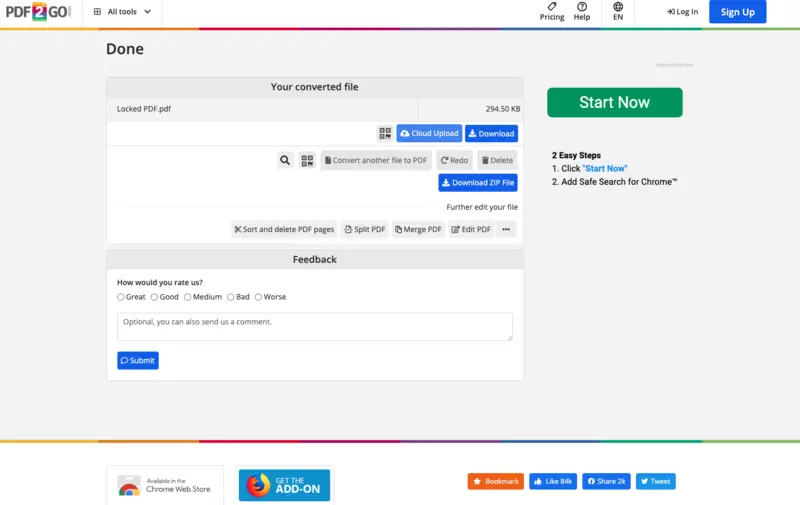
Keep in mind that this option will only work if you remember the credential you or somebody else used to protect the PDF.
When you are done removing the password from your PDF, you can perform manipulation of the file. For example, you are able to split PDF into separate pages or compress your PDF for easier sharing with others.
Best suited for:
- Office Administrators – Delete passwords to share effortlessly with teams.
- HR Professionals – Distribute forms or manuals more efficiently.
Method 4. SodaPDF
Another reason to open a restricted PDF may be needed for files locked or encrypted with outdated methods. Often they cannot be unsealed by modern software. A free PDF tool would be immensely helpful as it can circumvent these outmoded security protocols and allow you to access the item.
How to remove the password from a PDF via SodaPDF
- Open the PDF online tool.
- Upload the draft to the website by clicking the "Choose File" button.
- For highly protected documents, the system will ask you to enter the unique combination used to secure the PDF.
- Click "Unlock" and download your decrypted file.
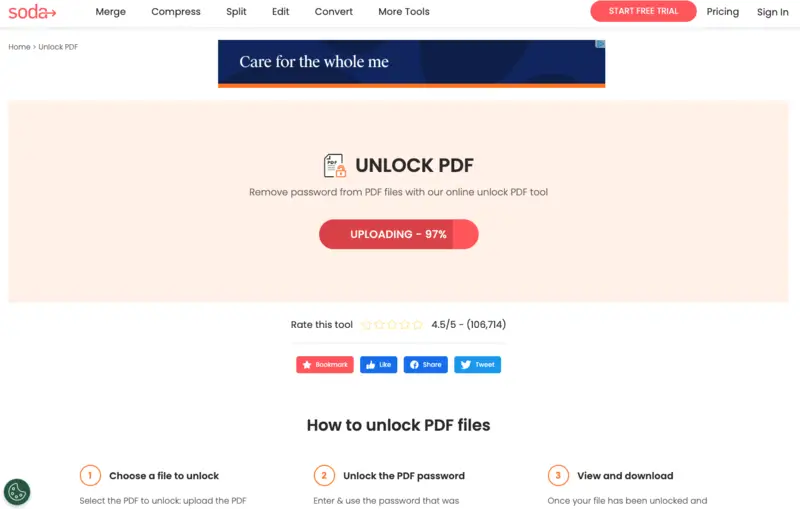
After removing the password from your PDF, you can choose to download i to your device or email the link to it to yourself.
Now, you can customize your unlocked PDF. For instance, you may need to whiteout certain areas of your PDF before giving access to it to someone else or extract images from the PDF for further use.
Best suited for:
- Archivists / Librarians – Open legacy contracts that modern software cannot read.
- Lawyers – Access older contracts or court deeds.
Method 5. iLovePDF
When you find yourself in a situation where you have multiple password-protected PDFs, you may get confused about what combination corresponds to what agreement.
A complimentary PDF instrument can strip verification from secured drafts, enabling you to leverage, modify, and print them without supplying the original credential.
How to unlock a PDF without a password using iLovePDF
- Visit the website and open the utility.
- Upload your archive with the "Select PDF files" button.
- Now, hit "Unlock PDF" to begin the processing.
- Once done, you will be hinted to save your result with the "Download unlocked PDFs" option.
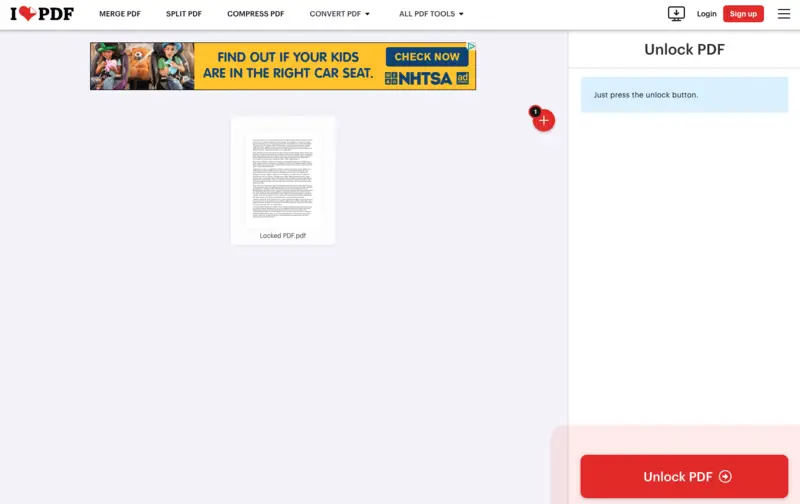
Utilizing this free PDF platform is a straightforward and fast method to eliminate a password you have forgotten.
Often, you may need to save certain pages of a PDF's older version to transfer them to the new document. In addition, you may need to crop PDF pages to keep consistency.
Best suited for:
- Finance Teams – Process multiple invoices or statements efficiently.
- Researchers – Manage large sets of course materials.
Method 6. PDF24 Tools
PDF24 Tools is a free suite developed by Geek Software GmbH, designed to cover nearly every common task you might encounter when working with proposals.
In addition to letting users add restrictions to sensitive files, app also offers an "Unlock PDF" tool. This is especially beneficial when you frequently work with secured papers but no longer need the extra layer of protection and want to streamline access.
How to decrypt a PDF with PDF24 Tools
- Go to the website.
- Upload your PDF with code.
- Enter the correct password when prompted.
- Hit "Unlock".
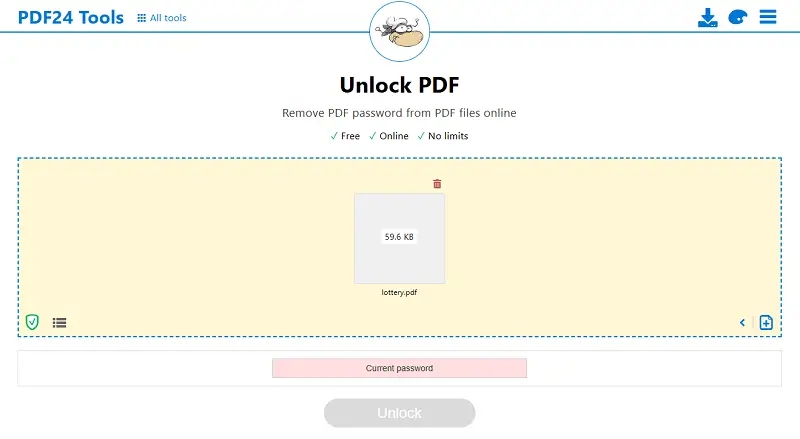
PDF24 does not bypass or crack protected drafts. If you don't know the credential, the service cannot open the file. This is a security measure that respects privacy and ownership.
Best suited for:
- Small Business Owners – Streamline sharing of internal PDFs.
- Educators – Facilitate collaboration and distribution without repeated codes.
Types of PDF restrictions
Open-Password
This barrier requires a code to access the PDF at all. Without the correct one, the archive cannot be displayed, viewed, or used in any way. This is commonly applied for contracts or financial statements.
Permission-Based Restrictions
These control what actions can be performed once the file is opened. Common examples include:
- Printing. Prevents from rendering the document or limits the process to low resolution.
- Editing: Blocks changes to the text, images, or layout of the PDF.
- Copying. Disallows duplicating text or images from the material, making it harder to replicate content elsewhere.
- Annotation. Prevents adding comments, highlights, or other marks.
Unlock PDF: FAQ
How long does it take to decrypt a PDF?
The operation is usually quick. It takes only a few seconds to a few minutes, depending on the size and the strength of the credential.
Is it legal to unbar a password-protected PDF?
The process is legal if you have the right to access the document. Unauthorized removing login from the PDF without the owner's permission may violate copyright laws or terms of service.
Can all PDF passwords be removed?
Most PDF passcodes can be bypassed, unless the file utilizes strong authentication or Digital Rights Management (DRM) technology. However, some advanced security settings may prevent unfettered access.
What should I do if I receive a password-protected PDF?
If you get an encrypted PDF, reach out to the sender for the login credentials. If you are authorized but unable to obtain the key, discuss alternative ways to gain access.
Free PDF unlockers: conclusion
Using a PDF password remover is usually straightforward.
To unlock a PDF, you need a service or application that offers a tool to eliminate PDF restrictions. A free PDF unwrapper can be a lifesaver for those who are in a hurry to retrieve their files and can't remember their passwords. Employ it wisely!