
Ever needed to convert an eBook to a PDF?
There are tons of eBook formats out there—EPUB, MOBI, FB2, AZW, and a bunch more. The catch is, most of them aren’t universal. You usually require specific software to even open them, which is a hassle.
PDFs? Those are the gold standard for compatibility. Pretty much any device can handle it without breaking a sweat.
In this guide, I’ll break down some reliable online apps and straightforward steps for transforming your eBooks into PDFs. No advanced coding or confusing menus needed—just practical, technical solutions that actually work.
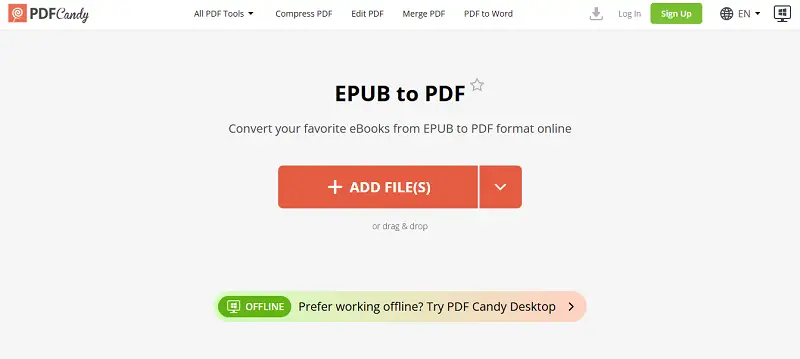
Method 1. PDF Candy
PDF Candy streamlines management tasks — you can convert ePub to PDF with ease. It’s also equipped to process MOBI to PDF, DjVu to PDF and FB2 book changes.
So, if you’re dealing with a variety of uncommon extensions, this service can handle them all in one place.
How to convert an eBook to PDF with PDF Candy website
- Upload the desired file to eBook to PDF converter from your device, Google Drive, or Dropbox.
- After selecting the item, customize the output by choosing the page size (A4, A3, A5, US Letter) and margins (small, large, or none). This step only takes a few seconds.
- Click the "Convert to PDF" button to start the process.
- Download the output or send it back to a cloud storage.
Convert eBook to PDF quickly and safely
For security, your files are neither stored nor shared. They are automatically deleted from the service after two hours, and you also have the option to remove them immediately after conversion.
Another key benefit of our online eBook to PDF tool is its speed. The entire procedure is straightforward and user-friendly, making it simple to complete in just a few steps.
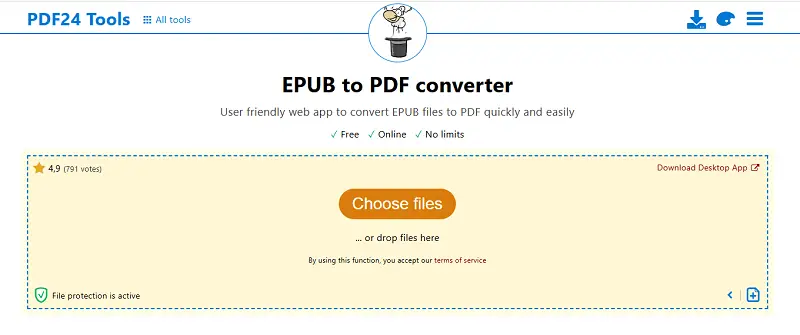
Method 2. PDF24 Tools
PDF24 Tools is a comprehensive, web-based platform that provides a suite of instruments for managing, editing, and converting. It offers a free, plain interface designed to easily handle a variety of tasks related to PDFs.
How to use PDF24 Tools as the eBook to PDF converter:
- Open your web browser and go to the platform.
- On the homepage, scroll down or search for "EPUB to PDF".
- Click "Choose File" to upload the book you want to convert.
- Hit the "Convert to PDF" button to begin the process.
- After it is complete, you will be presented with a download link.
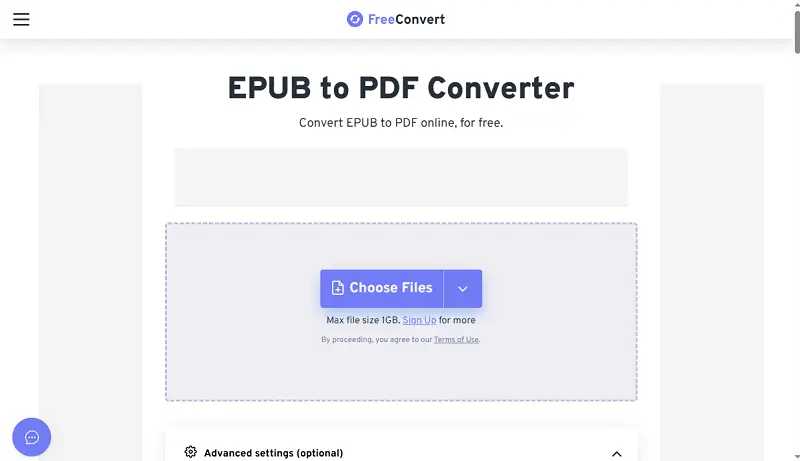
Method 3. FreeConvert
FreeConvert is an online utility designed for transforming eBooks to PDF. Advanced tools allow adjustment of page dimensions, margins, and compression, producing documents tailored to specific needs.
How to employ it to change EPUB into PDF:
- Go to the eBook to PDF page.
- Select your article from your device by clicking "Choose Files", or import it directly from Google Drive, Dropbox, or a URL.
- If desired, access the "Advanced Settings". Press "Convert to PDF" to initiate the operation.
- Download the PDF to your device.
FAQ
Can I convert multiple eBook files to PDF simultaneously?
Yes, our service allows batch operation, so you can upload several eBooks and change them to PDF in one go.
Are there any size limitations for eBook transformation?
The platform imposes some limitations on size, in the free version it's 100 MB for EPUB and 50 MB for other eBook types. However, the premium version permits you to double the supported size.
Is it possible to merge multiple eBooks into a single PDF?
Yes, you can first convert your eBooks to PDF and then merge them into a single document.
Tips for eBook to PDF conversion
- Check copyright. Before changing any eBook to a PDF, confirm you have legal ownership or rights. Certain items have Digital Rights Management (DRM) restrictions that can block or limit modifications.
- Proofread the output. Content can shift—text, images, and formatting may not always carry over as expected, so double-check for accuracy and completeness.
- Preserve formatting. Pay attention to font styles, sizes, headings, and spacing. Adjust converter settings as needed to maintain professional quality without unnecessary bloating.
- Optimize size. Turned PDFs—especially with images—can get unwieldy. If the file is too large, reduce it using reliable online PDF compressor to keep it efficient without major fidelity loss.
- Add metadata. Input accurate properties like title, author, publisher, and keywords. This supports searching and indexing—especially crucial in professional document management environments.
- Backup originals. If the conversion goes sideways or you need to revert later, you’ll be glad you kept those source materials intact.
- Respect license terms. If you intend to share or further distribute the PDF, revisit the original terms. Compliance with restrictions is non-negotiable in a technical workflow.
- Secure the data. For added protection, insert watermarks, stamps, or annotations where appropriate. These measures help deter unauthorized sharing and provide traceability within your papers.
Conclusion
By following these straightforward steps, you can effortlessly convert your eBook to PDFs, adding convenience and flexibility to your digital reading experience.
This approach is ideal for sharing papers, annotating texts, or managing your collection in a standardized format. The right method makes your files accessible and organized with minimal effort.
How to improve the created PDF?
- Delete extra pages from the document in just a couple of mouse clicks.
- Combine PDF with an image to add a new cover to your book.
- In case you need additional security when converting eBook to PDF, you can protect it with a password.